Unlocking the Power of Mac Profiles: Customization Tips for Professionals
Create, Manage, and Switch Between Customized Profiles Effortlessly
In today’s fast-paced professional environment, efficiency and personalization are crucial for maximizing productivity. For Mac users, leveraging the power of Mac Profiles can be a game-changer. Mac Profiles allow you to create, manage, and switch between customized profiles effortlessly, tailored to your specific professional needs. Whether you are a power user who juggles multiple applications, a developer who requires specific tools and environments, or an individual who shares their Mac with family or colleagues, understanding how to utilize Mac Profiles can streamline your workflow and enhance your overall computing experience.
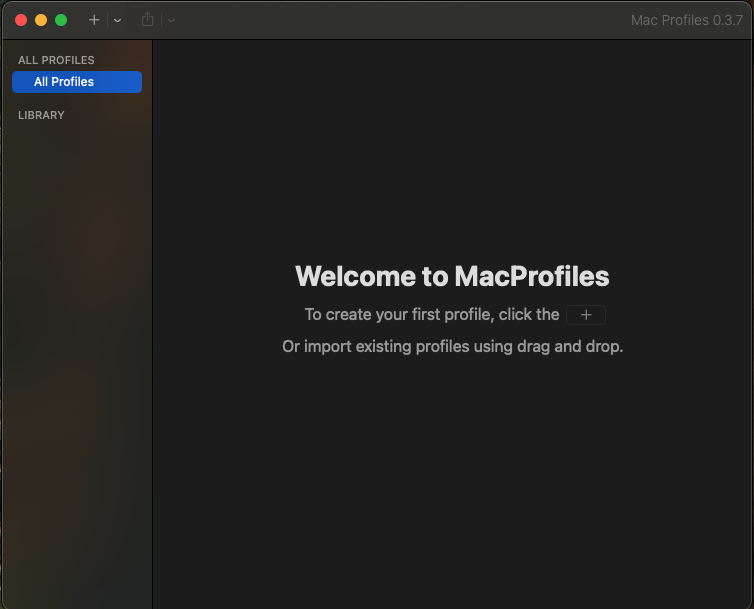
Creating a customized profile on your Mac is a straightforward process that allows you to set specific preferences for various tasks or users. Each profile can have its own system settings, applications, wallpapers, and other configurations. This means you can design a profile for work that includes all your essential productivity apps, another for development with the necessary coding environments, and even a personal profile that caters to leisure activities. By segmenting these different aspects of your life into distinct profiles, you can minimize distractions and create an environment that fosters focus and creativity.
Managing these profiles is equally simple. The Mac Profiles feature allows you to easily switch between profiles with just a few clicks. This flexibility is particularly beneficial for professionals who may need to transition between different tasks throughout the day. For instance, a graphic designer might need to switch from a profile optimized for design work to one suitable for client presentations. By having these profiles readily available, you can save time and maintain a seamless workflow without the hassle of manually adjusting settings each time you switch tasks.
Customization: Tailor Your System Settings to Your Needs
The true power of Mac Profiles lies in their customization capabilities. Each profile can be tailored to meet the specific needs of its user, allowing for a highly personalized computing experience. For professionals, this means that you can configure your system settings to align with your work habits and preferences. For example, if you often work with multiple monitors, you can set up a profile that automatically adjusts your display settings to optimize your workspace. Similarly, if you frequently use certain applications, you can have them launch automatically when you switch to that profile, saving you the time and effort of manually opening each one.
Beyond applications and display settings, Mac Profiles allow you to customize various system preferences, including keyboard shortcuts, trackpad gestures, and even the Dock’s appearance. This level of personalization can significantly enhance your productivity, as you can create an environment that feels intuitive and responsive to your workflow. Moreover, you can also adjust notifications and focus modes within each profile, ensuring that you receive only the alerts that are relevant to your current task. By eliminating unnecessary distractions, you can maintain a higher level of concentration and efficiency throughout your workday.
Streamline Your Workflow with One-Click Access
One of the most compelling features of Mac Profiles is the ability to switch between profiles with just a single click. This one-click access is particularly advantageous for professionals who need to transition quickly between different tasks or projects. Imagine being in the middle of a coding session and needing to switch to a client presentation profile without losing your momentum. With Mac Profiles, you can do just that, allowing for a fluid and uninterrupted workflow.
Additionally, the one-click feature is invaluable for users who share their Mac with others. Family members or colleagues can have their own profiles, complete with personalized settings and applications, making it easy for everyone to access their preferred environment without interfering with each other’s work. This is particularly useful in a home office setting where multiple users may need to access the same device for different tasks. By creating distinct profiles, you can ensure that each user has a tailored experience that meets their unique needs.
Enhance Collaboration and Sharing
In a professional setting, collaboration is often key to success. Mac Profiles can enhance collaboration by allowing team members to share specific profiles that have been optimized for joint projects. For instance, if you are working on a project with a colleague, you can create a shared profile that includes all necessary applications, documents, and settings that both of you will need. This not only simplifies the setup process but also ensures that everyone is on the same page regarding tools and resources.
Moreover, the ability to customize profiles for collaboration extends to remote work scenarios. As more professionals work from home or in hybrid environments, having a profile that is tailored for virtual meetings, project management, or team communication can significantly improve efficiency. By having all relevant applications and settings pre-configured in a shared profile, team members can seamlessly transition into collaborative work sessions, minimizing downtime and maximizing productivity.
Conclusion: The Future of Personalized Computing
As technology continues to evolve, the importance of personalized computing experiences becomes increasingly evident. Mac Profiles represent a significant advancement in how professionals can tailor their computing environments to suit their unique workflows. By creating, managing, and switching between customized profiles, users can unlock the full potential of their Mac, enhancing productivity, collaboration, and overall satisfaction.
In conclusion, whether you are a power user, developer, or someone who shares their Mac, taking advantage of Mac Profiles can streamline your workflow and create a more efficient working environment. By investing the time to set up and customize your profiles, you can transform your Mac into a powerful tool that adapts to your needs, allowing you to focus on what matters most — achieving your professional goals. As you explore the possibilities of Mac Profiles, you will discover that the key to unlocking your productivity lies in the power of personalization.