Streamline Your Content Uploads with Dissemino Media Manager
Streamline Your Content Uploads with Dissemino Media Manager
In today's fast-paced digital world, managing and uploading content efficiently is crucial for businesses looking to stay ahead of the competition. With the rise of remote work and distributed teams, having a centralized media management solution is more important than ever. This is where Dissemino Media Manager comes in, offering a comprehensive platform for organizing, uploading, and sharing media assets seamlessly.
Browse Network and Remote Locations seamlessly
One of the key features of Dissemino Media Manager is its ability to browse network and remote locations seamlessly. This means that users can access and upload files from a variety of sources, whether they are stored on a local server, network drive, or cloud storage. This flexibility allows teams to collaborate more effectively, regardless of their physical location.
Dissemino Media Management (MAM) Integration
Another standout feature of Dissemino Media Manager is its integration with Media Asset Management (MAM) systems. This means that users can easily import and export media assets between Dissemino and their existing MAM solution, streamlining the workflow and ensuring that all assets are organized and accessible in one central location.
Upload and download files to/from Lyve Bucket (S3 compatible)
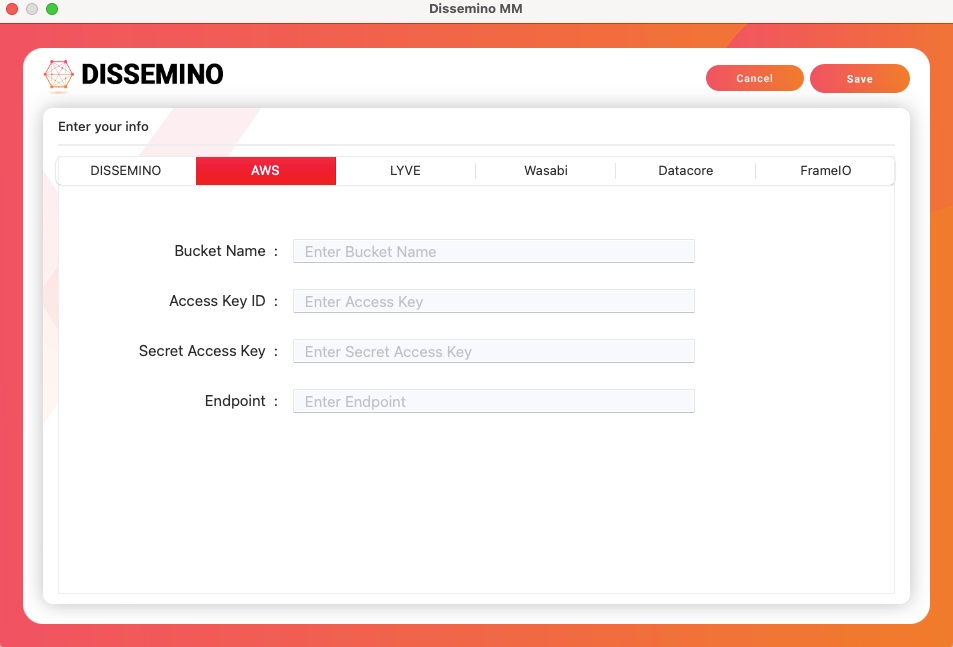
With Dissemino Media Manager, users can upload and download files to and from Lyve Bucket, a S3 compatible cloud storage solution. This makes it easy to store and access large media files, ensuring that teams can collaborate on projects without worrying about file size limitations or storage constraints.
Real-time progress and status indicators during the uploading process
When uploading media assets, it's important to know the status of the upload and how long it will take to complete. With Dissemino Media Manager, users can track the progress of their uploads in real-time, with status indicators showing how far along the upload is and how much time is remaining. This feature allows teams to plan their workflow more effectively and ensures that projects stay on track.
Explore both local folders and network storage for video annotation
In addition to uploading and managing media assets, Dissemino Media Manager also offers powerful annotation tools for video files. Users can explore both local folders and network storage to find the files they need, then annotate and markup those files as needed. This feature is especially useful for teams collaborating on video projects, allowing them to provide feedback and make edits in real-time.
Create Lyve Cloud project folders based on templates, with an option to design custom templates
To further streamline the content upload process, Dissemino Media Manager allows users to create Lyve Cloud project folders based on templates. Users can choose from pre-designed templates or create custom templates to suit their specific needs. This feature ensures that projects are organized and structured consistently, making it easier for teams to find and access the files they need.
File preview panel on the right-hand side for a quick overview
When managing media assets, it's important to be able to quickly preview files to ensure they are the correct ones. Dissemino Media Manager includes a file preview panel on the right-hand side of the interface, allowing users to get a quick overview of each file before opening it. This feature saves time and ensures that users can easily identify and access the files they need.
View file details, metadata, annotate, and markup as needed
In addition to previewing files, users can also view detailed file information, metadata, and annotations within Dissemino Media Manager. This allows teams to track the history of each file, make notes and annotations as needed, and ensure that all assets are properly documented and organized. This level of detail and customization is crucial for teams working on complex projects with multiple stakeholders.
Integration with Frame.io Cloud Storage
For teams using Frame.io Cloud Storage, Dissemino Media Manager offers seamless integration, allowing users to access and manage their Frame.io assets directly within the Dissemino platform. This integration streamlines the workflow for teams using both platforms, ensuring that all assets are centralized and easily accessible.
In conclusion, Dissemino Media Manager is a powerful tool for streamlining content uploads and managing media assets effectively. With features like seamless browsing of network and remote locations, integration with MAM systems, real-time progress indicators, and powerful annotation tools, Dissemino Media Manager is a must-have for teams looking to stay organized and efficient in today's digital landscape. Whether you're working on video projects, collaborating with remote teams, or managing a large library of media assets, Dissemino Media Manager has the tools you need to succeed.